
Delete your Grass Go account
Last updated: October 6, 2026
How to delete your Grass Go account and what happens to your data. Questions: support@grassgo.com.
Delete your account from the app
In the app:
- Open the Grass Go app and sign in.
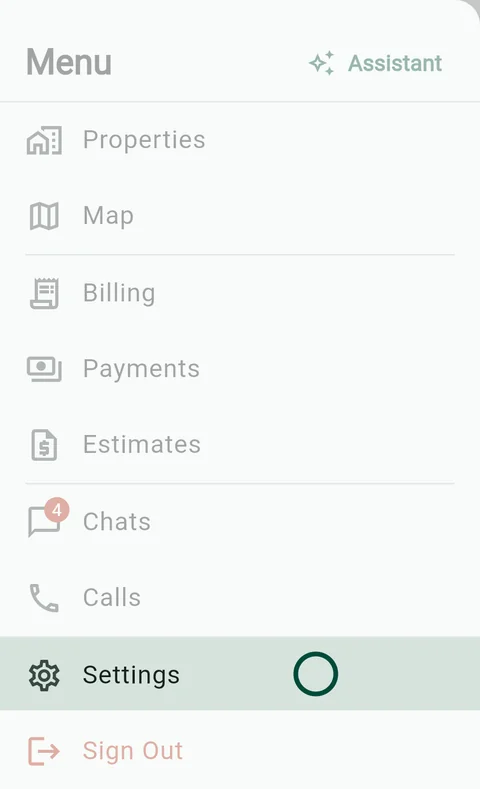
- Tap Settings: in the menu on a phone, in the sidebar on a tablet or computer.
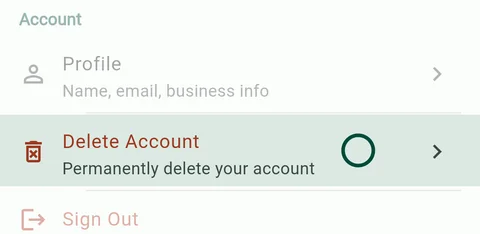
- Tap Delete Account.
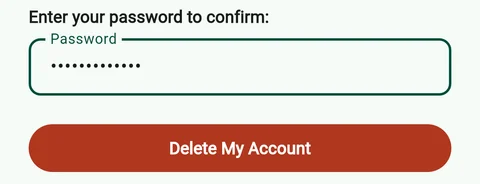
- Enter your password, tap Delete My Account, then Delete.
Forgot your password? Reset it on the sign-in screen first.
Deletion is immediate and permanent once confirmed.
Request deletion by email
If you cannot access the app, email support@grassgo.com from the email address on your account with the subject "Delete my account." We will verify your identity and process the deletion within 30 days.
What gets deleted
Deleting your account permanently removes:
- Your business profile and logo
- All clients and their contact information
- All properties and service plans
- Schedule and visit history
- Conversations, messages and call logs
- Invoices, estimates and drafts
- AI assistant sessions
- All uploaded photos and files
- Website leads from your published site
- Your website and its builder content. A published site goes offline.
- Your sign-in
All your Grass Go subscriptions are canceled.
Your business phone number is released by hand after you delete, not right away. Your Stripe account stays with Stripe.
What is retained
A limited internal audit record of the deletion is retained for compliance purposes. Financial records (such as invoices and payment history) may be retained by our payment processor, Stripe, for the period required by applicable tax and accounting law. Physical letters already in transit or delivered via postal mail cannot be recalled. These retained records are kept only as long as required by law and are not used for any other purpose.
Got a text from a lawn service that uses Grass Go? Reply STOP to stop texts. To remove your details, ask that business or email us.
For full details on how we handle your data, see our Privacy Policy.