
Grass Go vs Jobber: built for the weekly mow
- Grass Go
- Free
- to start
- Jobber
- $29 – $399/mo
- billed yearly
Jobber starts at $29 a month billed yearly, plus $29 per extra user. Grass Go costs nothing to start.
Checked Oct 4, 2026.
Grass Go
Free
No card to sign up. No client limit.
Lawn care software for scheduling, invoices, cards on file, AI estimates and a property map.
Stripe's 2.9% + 30¢, plus 0.7%, only when a client pays by card.
Best for: A weekly route, alone or with a helper.
Jobber
$29 – $399/mo
Billed yearly. Four plans. $29 a month per extra user.
For many trades
Best for: Crews of 5 or more, several trades.
Founded 2011Pricing source: getjobber.comVisit Jobber
Side by side
IncludedPaid extraNot offeredBetter on the row
Pricing
Entry price
- Grass Go
- Better on this row:
Free
No card to sign up
- Jobber
$29/mo
Core, billed yearly. $49 month to month.
Top plan
- Grass Go
$24.99 + $5 a month, both optional
- Jobber
$399/mo
Plus, billed yearly. $499 month to month.
Users
- Grass Go
Included: One login
Send a helper the day's route as a link.
- Jobber
Paid extra: $29 a month per extra user
Scheduling
Recurring visits
- Grass Go
Included: Weekly, every other week or custom
Skip a week or pause the season.
- Jobber
Not checked
Route order
- Grass Go
Included: Included
Driving order. No traffic or time windows.
- Jobber
Paid extra: Connect plan and up
From $99/mo
Payments
Card fee
- Grass Go
2.9% + 30¢ + 0.7%
Only when a client pays by card.
- Jobber
- Better on this row:
2.9% + 30¢
Jobber Payments, on every plan
Charge cards on file
- Grass Go
- Better on this row:
Included: Included
- Jobber
Paid extra: Connect plan and up
From $99/mo
Texts and calls
Business phone line
- Grass Go
Paid extra: $24.99/mo, optional
100 minutes and 100 texts a month. No overage charge.
- Jobber
Not checked
Two-way texts
- Grass Go
- Better on this row:
Paid extra: On the $24.99 line
Texting opens after a 1 to 3 week carrier wait.
- Jobber
Paid extra: Grow plan and up
From $149/mo
AI receptionist
- Grass Go
- Better on this row:
Paid extra: Comes with the line
- Jobber
Paid extra: $29/mo add-on
On top of a plan; included on Plus ($399/mo)
Phone apps
iPhone and Android apps
- Grass Go
Included: Both, on the stores
- Jobber
Included: Both
AI
AI-drafted estimates
- Grass Go
Included: Included
- Jobber
Included: Drafts quotes
Jobber AI
In-app AI assistant
- Grass Go
Included: Included
- Jobber
Included: Jobber AI
All plans, in beta
Integrations
QuickBooks Online
- Grass Go
Not offered: Not available
- Jobber
- Better on this row:
Paid extra: Connect plan and up
One-way sync, from $99/mo
Zapier
- Grass Go
Not offered: Not available
- Jobber
- Better on this row:
Paid extra: Connect plan and up
From $99/mo
Where they differ
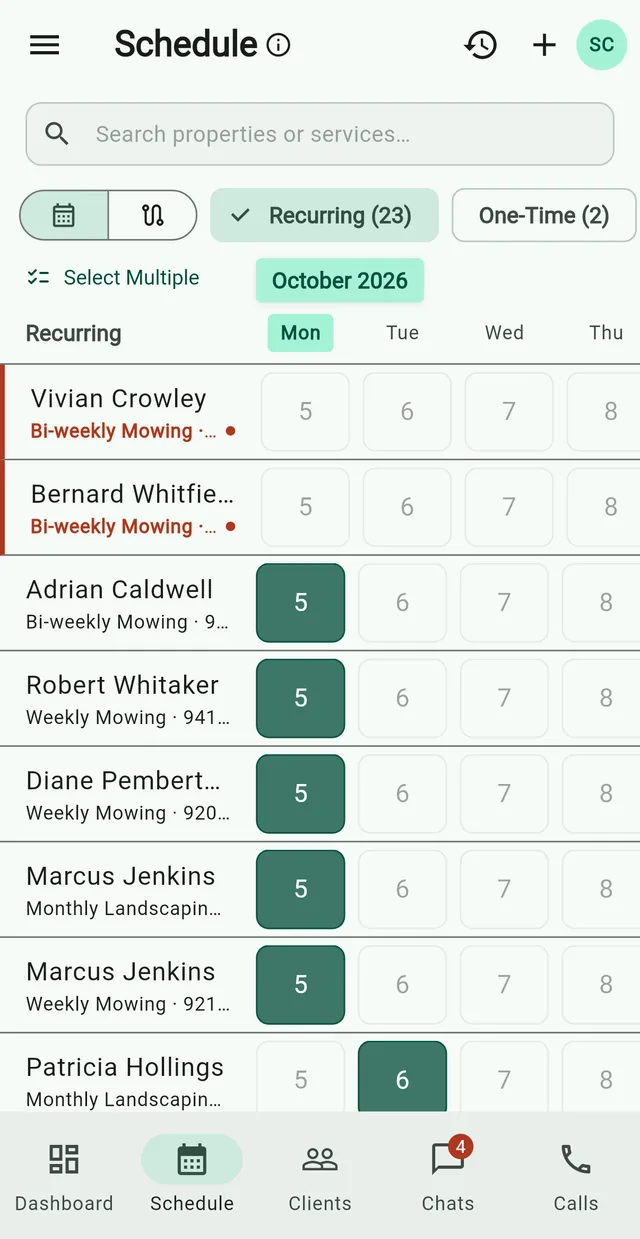
Free to start, no tiers
You pay Stripe's 2.9% + 30¢, plus 0.7%, only when a client pays by card.
PricingA month, before card fees
Jobber
- Core plan (source, opens in a new tab)$29
- Each extra user (source, opens in a new tab)+ $29
- AI Receptionist (source, opens in a new tab)+ $29
- Up to Plus (source, opens in a new tab)$399
Starts at$29
Grass Go
- Core app$0
- Phone line and AI receptionistoptional$24.99
- Websiteoptional$5
Starts at$0
One line, one price
Number, texts and AI receptionist, $24.99 a month. Jobber's is a $29/mo add-on.
Call the demo line: (309) 252-4092Phone system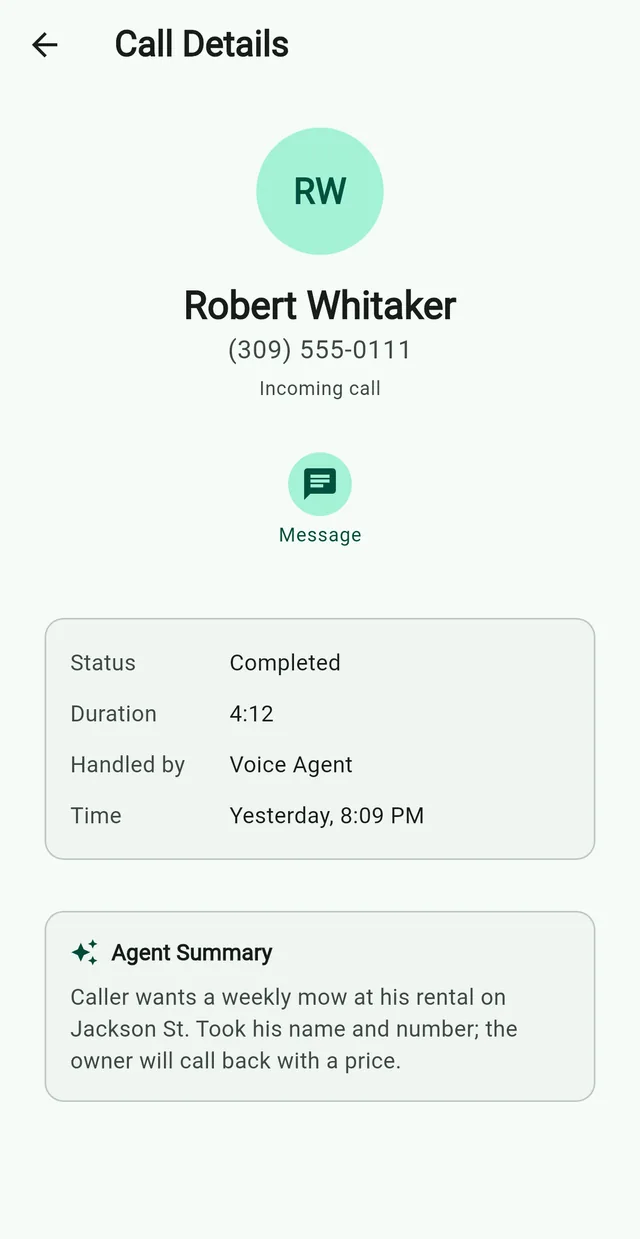

Which one fits your route
Switching from Jobber

- 1
In Jobber, open Clients, then More Actions → Export Clients.
- 2
Drop the CSV into the assistant. It drafts the properties.
- 3
Check the drafts. Nothing saves until you approve.
- 4
Give each plan a start day. Visits repeat on their own.
- 5
Set up card payments in the app.
- Saved cards don’t move. Send each card client the link to save theirs again.
- Export your past invoices from Jobber before you cancel.
Common questions
Are Grass Go's payment processing fees lower than Jobber Payments?
No. Grass Go is ~3.6% + 30¢ a payment; Jobber Payments is 2.9% + 30¢. The savings come from the plan: Jobber starts at $29/mo.
Is Grass Go free?
It costs nothing to start. We take 0.7% when a client pays by card, on top of Stripe's 2.9% + 30¢.
How does Grass Go's AI receptionist compare to Jobber's?
Jobber's is $29 a month on top of a plan; ours comes with the $24.99 line. Ours takes the message but doesn't quote prices or book jobs.
Can I import my Jobber client list into Grass Go?
Yes. Drop a CSV from Jobber into the assistant and approve each record.
Ready to switch from Jobber?
Free to start on iPhone, Android and the web.
Not ready? See how Nate uses it Or start on the web