
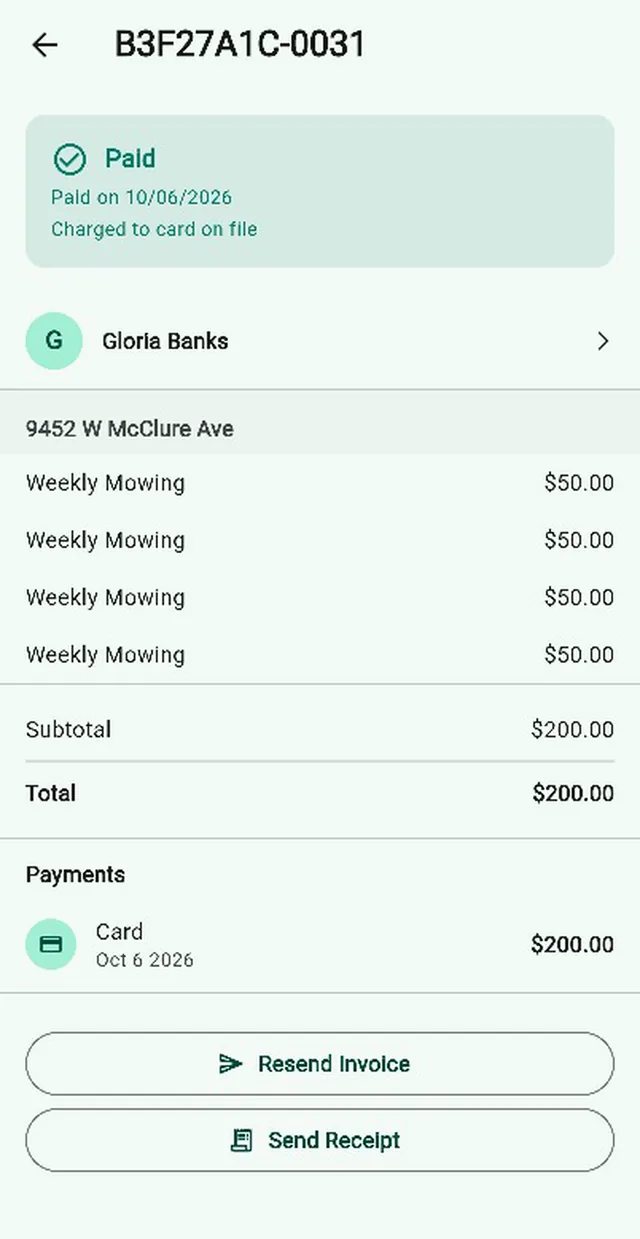
Chasing checks eats hours you could spend mowing. A card on file ends it.
Not optional. Not "for the customers who want to." Default. Here's why, and how to handle the objections.
Why cards on file beat invoicing for lawn care
Lawn care has a few things going for it that make a card on file a perfect fit:
- The visit price is small and predictable. A $50 mow is well inside the "don't even notice" range for a card. Customers absorb it the same way they absorb their gym membership.
- Service happens on a known schedule. Weekly or biweekly. There's no surprise on either side about when the charge will hit.
Compare a contractor doing one-off bathroom remodels: big variable invoices, the customer needs to inspect, scope disputes are common. A card on file doesn't fit there. For a $50 weekly mow, it does.
What it costs
Stripe's 2.9% + 30¢, plus 0.7%, only when a client pays by card. Cash, check, Venmo and Zelle cost nothing. Prices as of Oct 5, 2026; the details are on Pricing.
- One visit, paid by card
- $50.00
- Stripe
- 2.9% + 30¢
- Grass Go
- 0.7%
Compare against the alternatives:
- Customers who ghost. A declined card shows up when you bill, not two weeks later.
- The float. Stripe pays out on its schedule, not when a client gets around to mailing a check.
Take a check for the big jobs
On larger landscape jobs, card fees start to bite: a $5,000 mulch and planting job costs at least $180 in card fees. For big jobs, take a check or Zelle and mark it paid in Grass Go. That costs nothing.
Practical setup: card on file for recurring weekly work, and a check for one-time landscape work. Online payments in Grass Go are by card.
How to introduce it to a new customer
For new customers, this is easy. Make a card on file part of saying yes. When they accept the estimate, text them a link to add a card. They put it in. Done. Every subscription they use already works this way. In Grass Go, you send that link from the client's page. Send the card link the day they say yes.
Sample text: "Thanks for approving! Add a card here: [link]. It's stored with Stripe and charged when I bill."

How to migrate existing check customers
This is harder. Long-time check customers feel asked to change. Three things that work:
- Frame it as your change, not a customer demand. "Hey, we're upgrading our billing this season. Going forward, all customers are on a card on file."
- Offer a small carrot. 5% off the first month, or skip the spring cleanup fee. Costs you a handful of dollars, saves you years of chasing.
- Set a deadline. "Switching everyone over by April 1." Without a deadline, customers put it off forever.
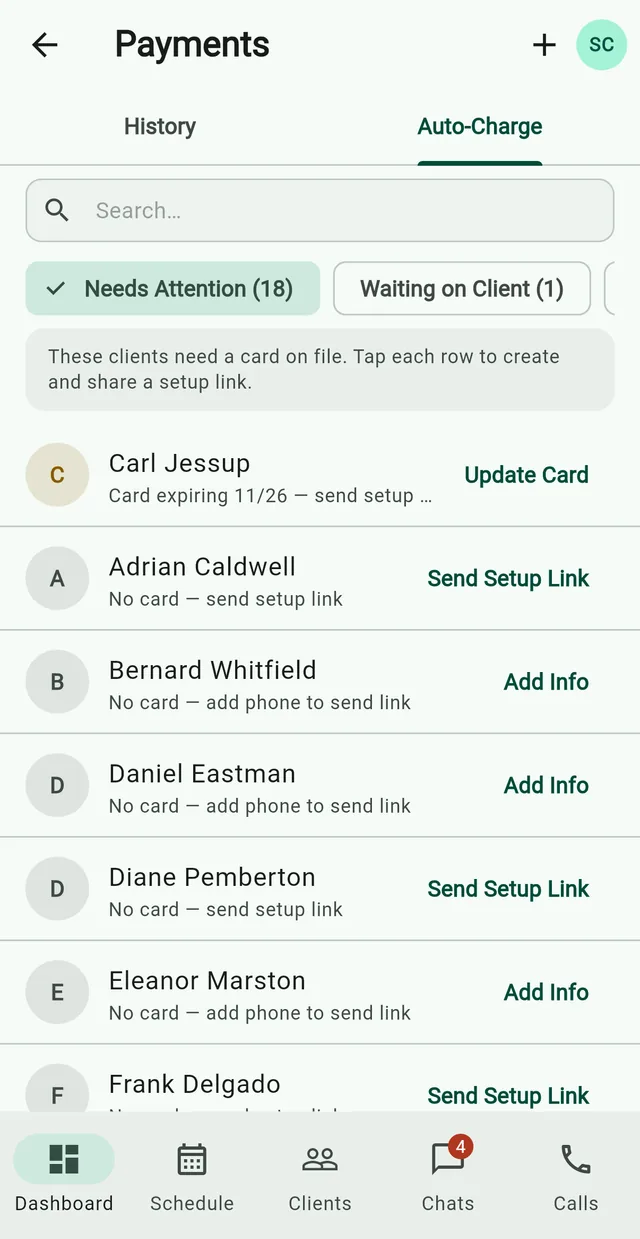
A few will push back. Let them go. The hours you free up by not chasing them fill with customers who pay on time.
Handling the common objections
"I don't want my card on file."
Response: "The card is stored with Stripe, not with us. We never see your card number. You can remove it any time."
"What if you mess up the bill?"
Response: "Tell me and I'll fix it before the next visit."
"Can I just pay you in cash like before?"
Response: "I'd rather keep a card on file. Saves us both the trip. Card, or a check if you'd rather." (This one's your call.)
"What if my card expires?"
If a charge fails, you see it in Payments and can resend the card link.
When the card is charged
Nothing charges on its own. Tap Bill after the day's mows, or let a client's visits build up and bill them together.

Set this up before you need it
The biggest mistake I see: waiting to set up cards on file until a customer ghosts you on a $400 invoice. By then you have a season's worth of check customers to migrate. Set it up before the first customer signs. Send the card link the day they say yes. Migrate the check customers in batches over the off-season.
Stripe asks for your business, bank and ID details. Have them handy.
Just getting started? Payments are one of the nine steps in how to start a lawn care business.
Where Grass Go fits
Send a card link from the client's page. When you tap Bill, the card is charged. It costs nothing to run. Grass Go takes 0.7% only when a client pays by card. Clients pay by check, Venmo or Zelle? Mark it paid. That costs nothing, and the schedule still works.